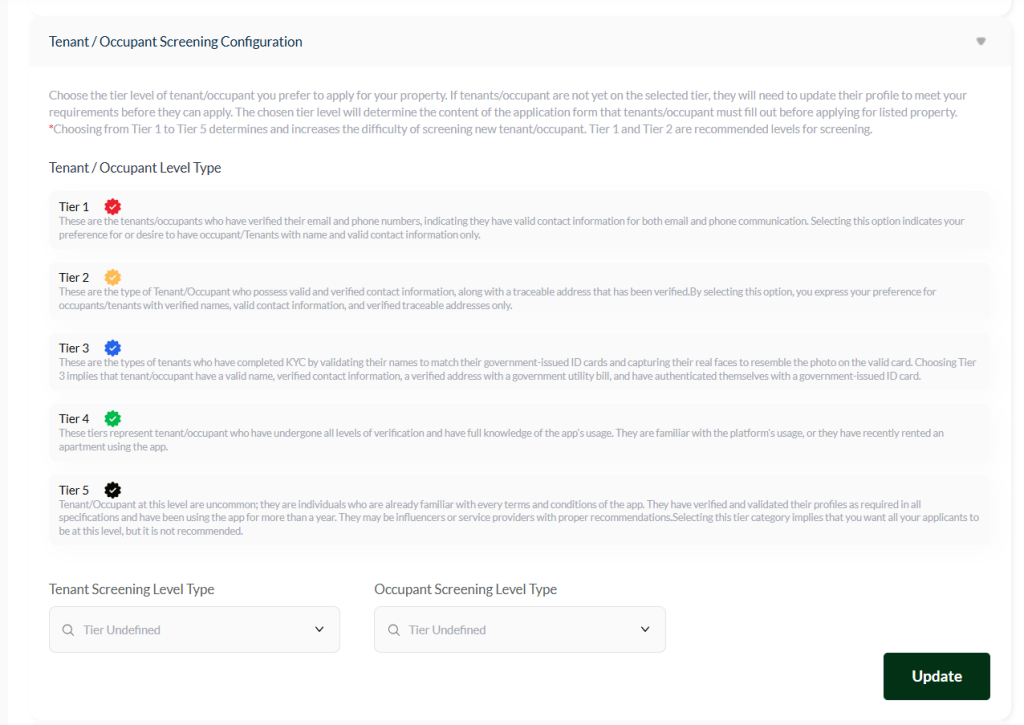
Screening Configuration
The Tenant/Occupant Screening configuration allows you to set the KYC (Know Your Customer) level required for potential tenants applying to your properties. The selected level determines who can apply to your company listings.
If a potential tenant applies with a profile below your chosen level, the app will prompt them to upgrade their account to meet the required level.
⚠️ Note: These settings only apply to potential tenants using the Our Property NG app, available on Google Play Store and Apple App Store.
Before selecting a tier, carefully read and understand the requirements each level entails to ensure your choice matches your property’s needs.
Tier Levels #
Tier 1 – Verified Contact Information
- Tenants have verified email and phone numbers.
- Suitable for occupants with valid contact information only.
Tier 2 – Verified Contact + Address
- Tenants have verified contact information and a traceable address.
- Suitable for occupants with verified names, contact info, and verified addresses.
Tier 3 – Full KYC Verification
- Tenants have verified names that match their government-issued ID and a facial verification.
- Includes verified contact information and address (with a government utility bill).
Tier 4 – Experienced App Users
- Tenants have completed all verification levels and are familiar with using the app, or have recently rented a property through it.
Tier 5 – Advanced / Rare Users
- Tenants have full profile verification, have used the app for over a year, and may be influencers or service providers with proper recommendations.
- Not recommended for general selection due to rarity.
Tier 1 to 2 recomended, after reviewing all tiers, select your preferred level and click Update to save your choice.
How to Save Changes #
- After editing any section, click the “Update” button to apply the changes across your company dashboard and website.
- Once the update is successful, a confirmation email will be sent to your registered company email address to acknowledge the change.
Important Note #
⚠️ Changes will not take effect until you click the Update button.
Always save after each edit to ensure your company information stays current and visible across the platform.


