👋 Welcome to Agent Community Contribution #
Here, you can share your ideas, thoughts, or insights with the wider agent community – encouraging collaboration, discussions, and valuable contributions from other real estate professionals.
It’s a space to connect, learn, and grow together through shared experiences and collective knowledge.

📝 Title Input #
Enter a clear and engaging title for your contribution.
- This title will serve as the headline that captures attention within the agent community.
- Keep it concise and relevant to your idea, thought, or topic (e.g., “Tips for Closing Deals Faster”, “Client Budget Challenges in Lagos”, “Should Agents Charge Consultation Fees?”).
A well-written title helps others quickly understand the focus of your contribution and encourages meaningful engagement.
🖊️ Description Input #
Use this field to provide a detailed explanation of your idea, thought, or contribution to the agent community.
- Share your experience, opinion, advice, or a question you’d like others to engage with.
- Be clear, respectful, and informative to encourage collaboration and helpful responses.
- You can also include real-life scenarios, challenges, or suggestions.
A thoughtful description helps others connect with your message and fosters valuable discussions within the community.
🎥 Video & Link Selection/Input
Use this section to add a picture or youtube video link that supports your contribution..
Adding media or links enhances your post, encourages engagement, and helps other agents better understand your contribution.
📍 Target Audience #
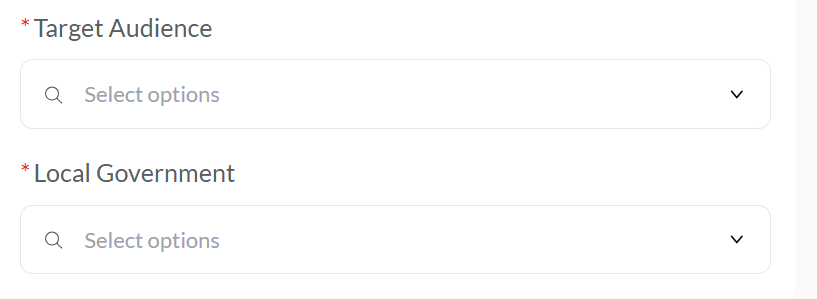
Use this field to specify the location or region you want your contribution to reach within the agent community. Select the State and LGA where your message is most relevant.
🎯 A targeted location increases the chances of receiving relevant responses and engagement from agents working in the same market location.
🟢 Create Button #
Click this button to submit and publish your community contribution.
- Your post will be shared with agents based on your selected location and will appear in the Agent Community section after administrator approval.
- Make sure all fields like title, description, and any optional media or links are correctly filled before submitting.


