👋 Welcome to Property Request #
Here, you can create and submit property requests based on your client’s needs, allowing other real estate companies to contact you with matching property briefs.
Simply provide the preferred location, property type, and your client’s budget or price range to get started.
Already familiar with the process? You can skip the tour anytime.
🏷️ Property Title Input #
Enter a short and clear title for the property your client is requesting.
- This helps other real estate professionals quickly understand the nature of the request.
- Use descriptive titles like: “3-Bedroom Apartment in Lekki,” “Warehouse Needed in Abuja,” or “Client Seeks Duplex in Gwarinpa.”
A well-written title attracts faster and more accurate responses from agents with matching listings.
📝 Description Input
Use this field to provide a detailed description of your client’s property request.
- Include important details such as number of rooms, facilities needed, preferred condition, or any special requirements (e.g., parking space, security, furnished, etc.).
- Be clear and specific to help other agents or companies offer the most relevant options.
A complete and accurate description increases the chances of getting the right property match quickly.
🏠 Property Type Selection #
Use this section to select the type of property your client is looking for by choosing from three levels of options:
- 🏡 Category: Choose between Residential, Commercial, or Mixed-Use
- 🏢 Property Type: The options shown here will depend on the selected category
- 🏘️ Sub-Type: Based on the selected property type, choose a more specific option (e.g., Flat, Shop, Duplex, Warehouse)
Selecting the correct combination ensures your request is accurately matched with available listings from agents or companies.
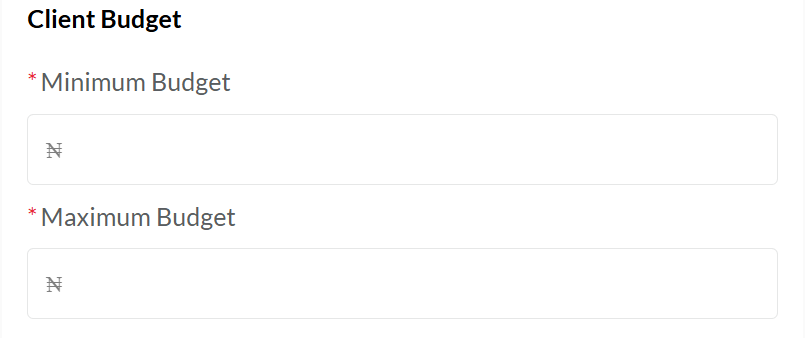
💰 Client Budget Selection #
Use this field to enter your client’s budget range for the requested property.
- You can specify a minimum-to-maximum range (e.g., ₦1M – ₦3M/year for rent).
- Make sure the budget reflects the rental power of the client to attract the right offers.
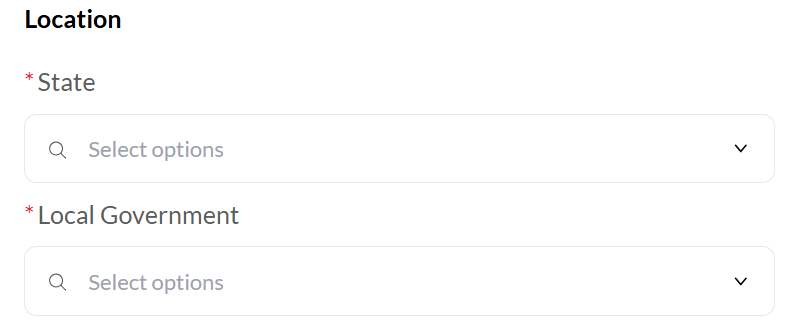
📍 Location Selection #
Use this section to specify the preferred location for the property request.
- Start by selecting the State
- Then choose the Local Government Area (LGA)
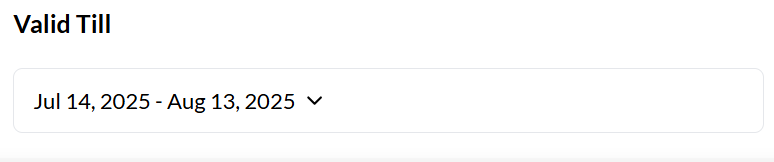
📅 Date Validation Selection #
Use this field to define the active timeframe for the property request.
- Select the start date (when the request becomes visible) and an end date (when it should expire).
- Once the end date is reached, the request will automatically stop receiving messages or contact from other companies.
✅ Setting a clear date range helps manage follow-ups, improves communication, and keeps the request relevant and timely.
🟢 Create Button
Click this button to submit and publish your property request.
- Your request will be shared with other real estate professionals based on the selected location, property type, and budget.
- It becomes visible during the set active date range, allowing others to respond with matching listings.
✅ Make sure all fields are correctly filled before clicking Create to ensure your request is live and ready for responses.


